
Windows screenshot manager
Light Capture
Capture screenshots, then actually find them again.
Light Capture is built for people who treat screenshots as working files: evidence, references, UI states, prompts, invoices, bugs, research notes, and visual memory.
96-512 pxthumbnail scale for visual file browsing
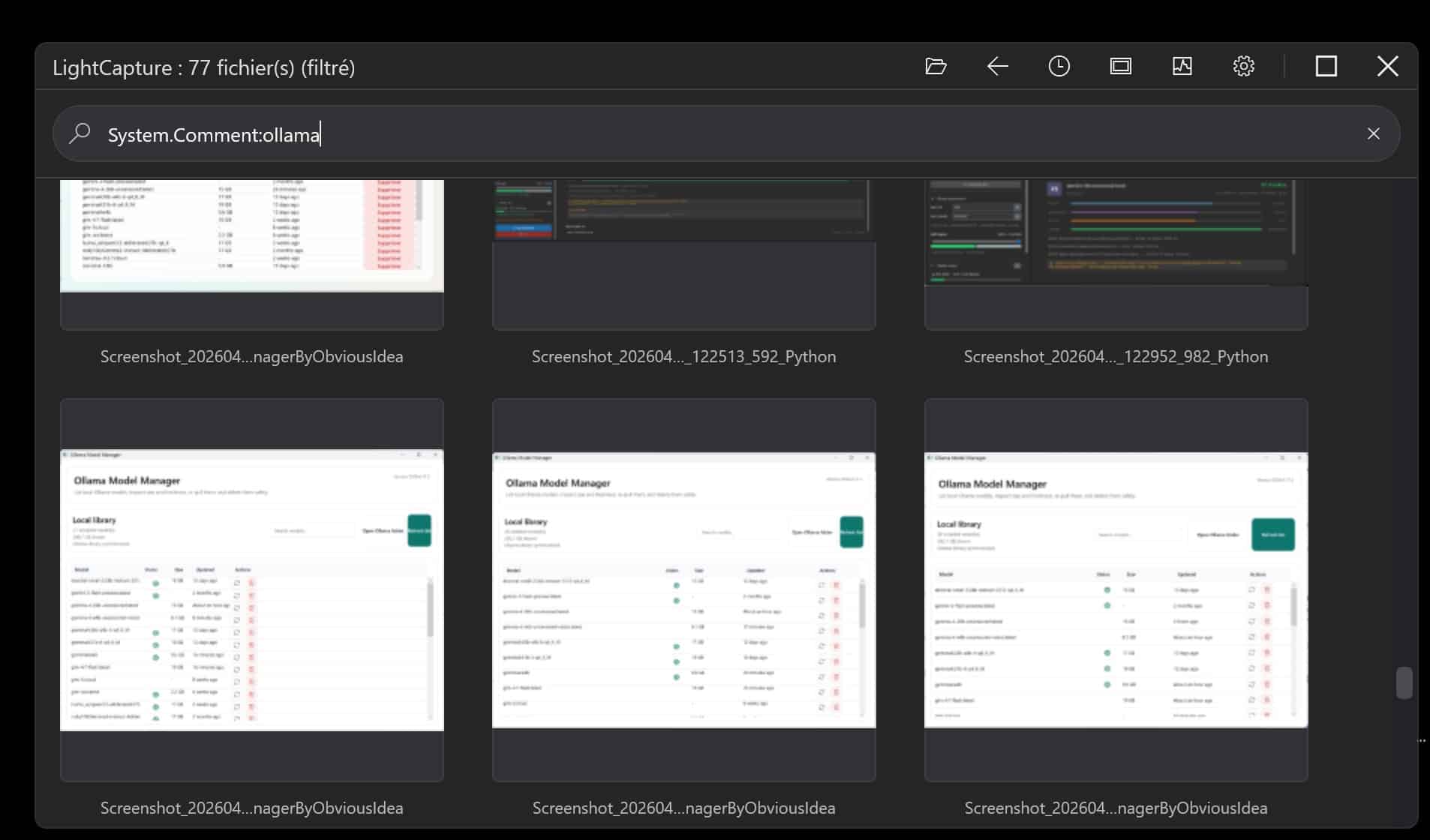
AQSadvanced Windows-compatible search syntax
OCRsearch inside existing screenshots
Local AIprivate tagging with Ollama models
Product workflow
The screenshot is only the beginning.
Most tools stop after capture. Light Capture focuses on what happens next: where the file goes, what it contains, how it is described, and how quickly it can be found later.
Screenshot workflow
Search that understands your archive
Find the right screenshot without remembering the filename.
AQS example
A search language for real work.
Light Capture can expose Windows-compatible search concepts in a way that makes sense for screenshot archives: comments, folders, dates, OCR content, and tags.
Search demo
Private AI with Ollama
Local models make sense for screenshot archives.
Screenshots often contain customer data, legal material, property details, code, account pages, private notes, or internal documents. Light Capture is designed to work with local AI models through Ollama so tagging and analysis can stay on your computer.
Use cloud AI when speed matters, or local models when cost, privacy, and flexibility matter more.


Perfect companion
Light Capture works naturally with Light Image Resizer.
Capture and organize with Light Capture. Resize, convert, compress, watermark, or prepare selected images with Light Image Resizer. Together they form a practical workflow for anyone who handles large volumes of screenshots and images.
Who it is for
Professionals who need to find the right screenshot later.
Experts and lawyers
Keep screenshots searchable by content, comments, and metadata when they become part of a case, report, or audit trail.
Real estate and photographers
Review visual folders at large thumbnail sizes, compare captures quickly, and preserve useful comments for each file.
Designers and vibe coders
Capture interface states, prompts, generated results, errors, and references, then retrieve them instantly by text or tag.