
Ex-Filter
Ex-Filter · by ObviousIdea
Your digital breakup,
your way.
After a breakup, a little bubble to breathe.
Find photos and videos of your ex. Check the matches. Choose what to keep, set aside or change — at your own pace.
iPhone & iPad · iOS / iPadOS 17 or later

Available now for iPhone and iPad. Free to download.

A little space. A clearer view.
Take a look inside Ex-Filter on iPhone. Real app screens in English and French, using synthetic demo media.
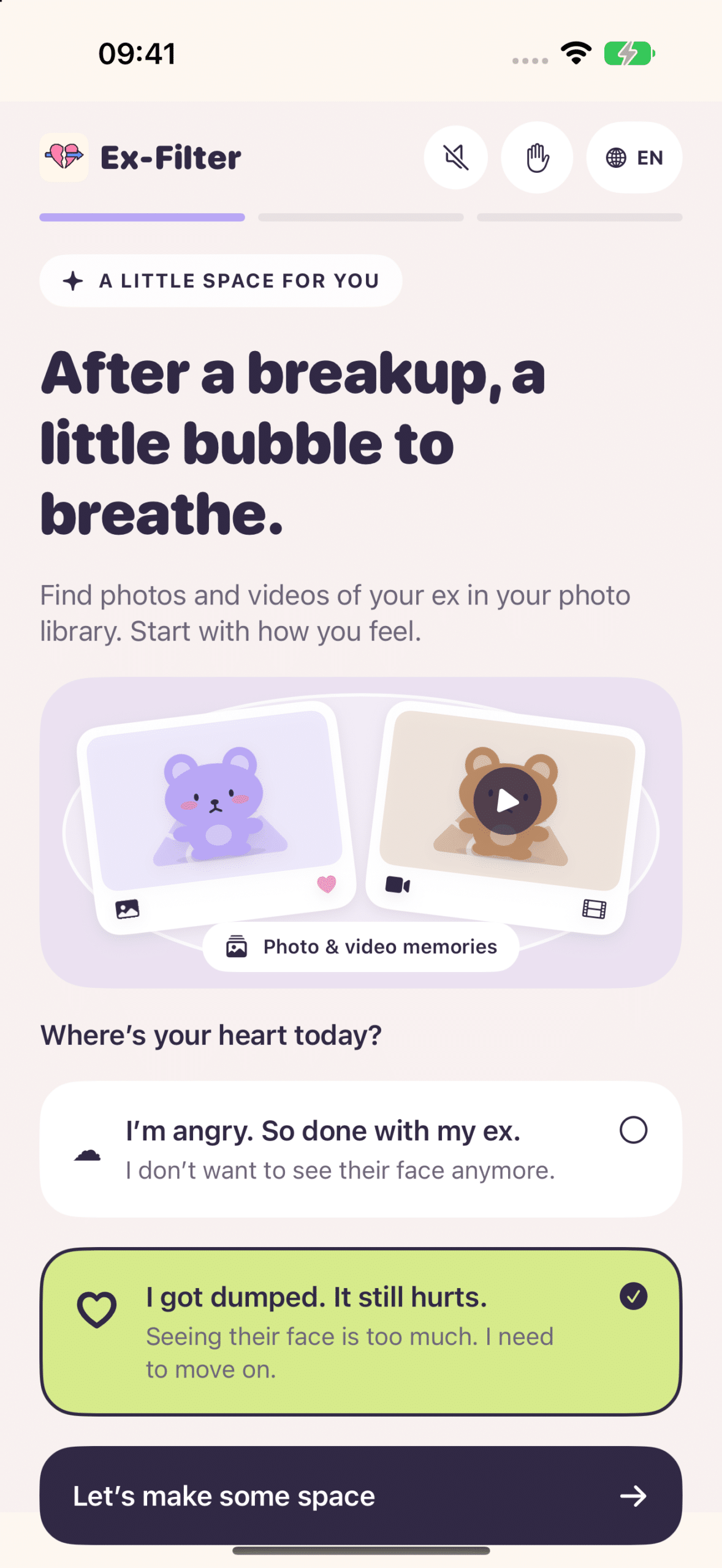
Start with how you feel
A little space for you, with a tone that meets you where you are.
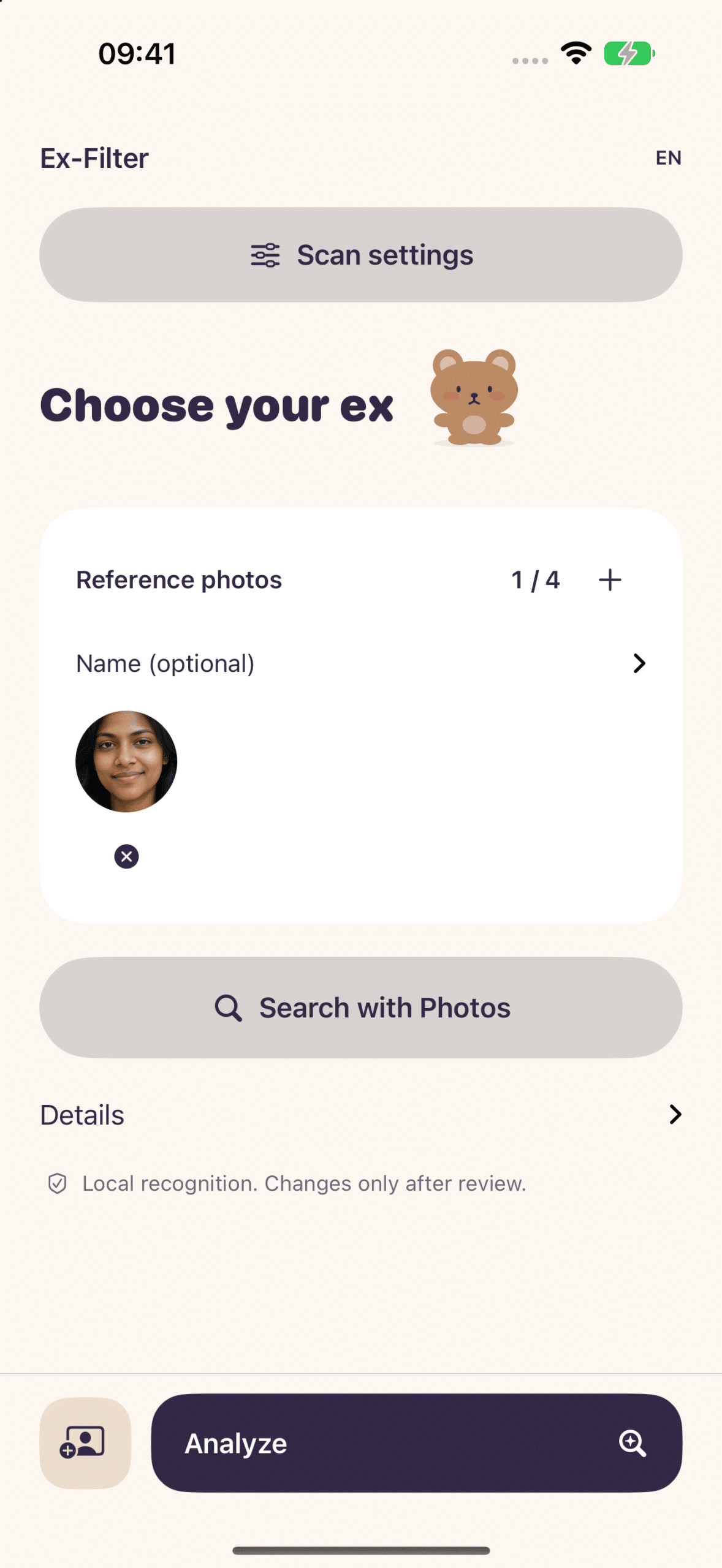
Choose who to find
Add a reference photo, then look for the memories you want to review.
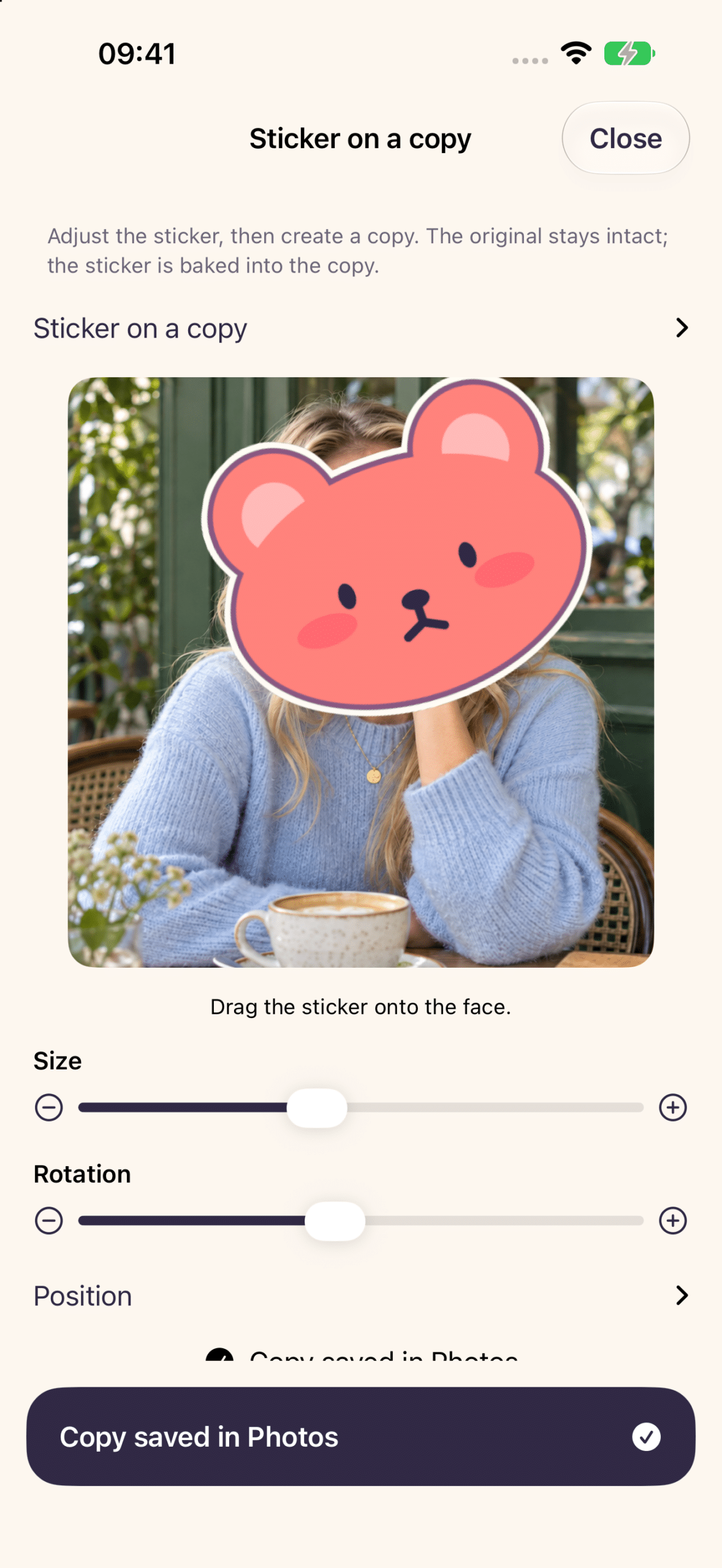
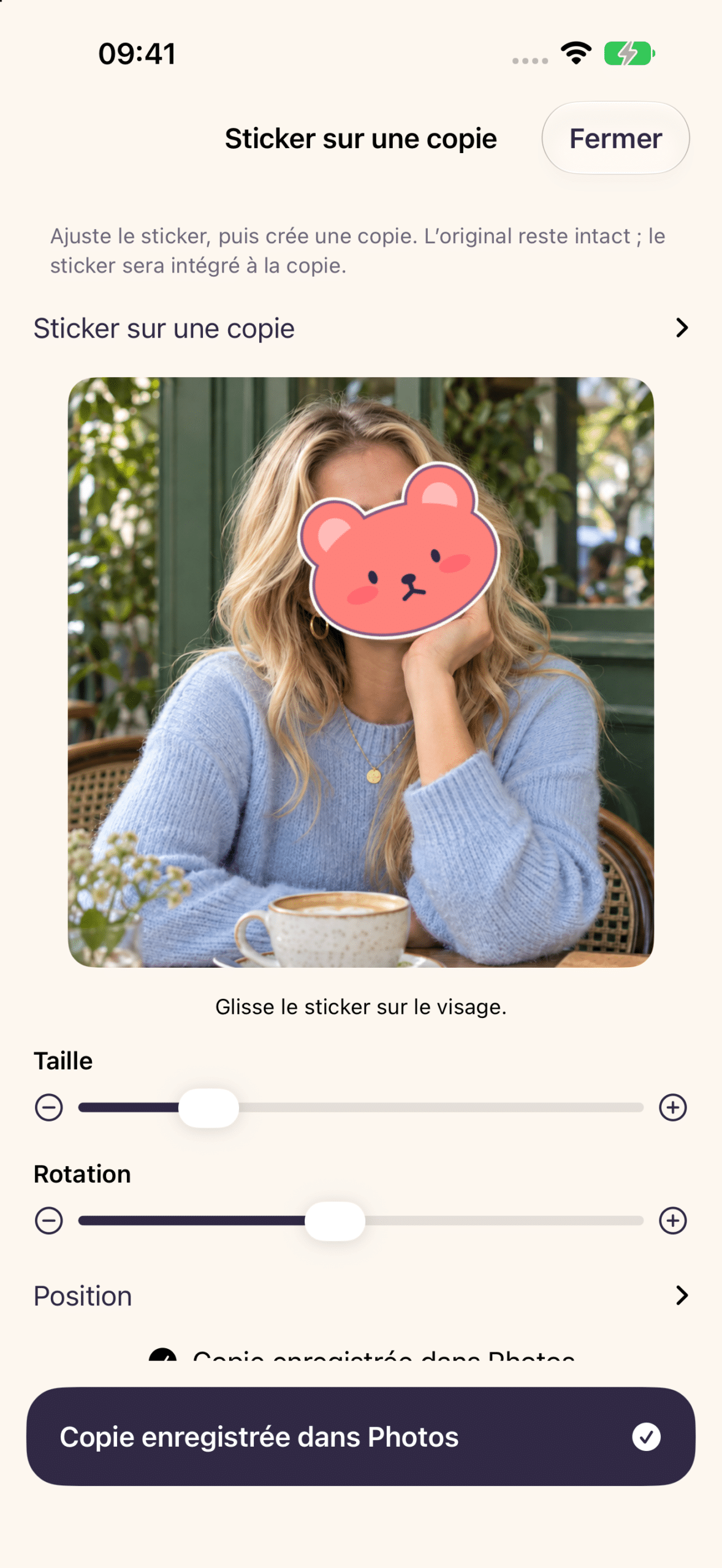
Keep the moment
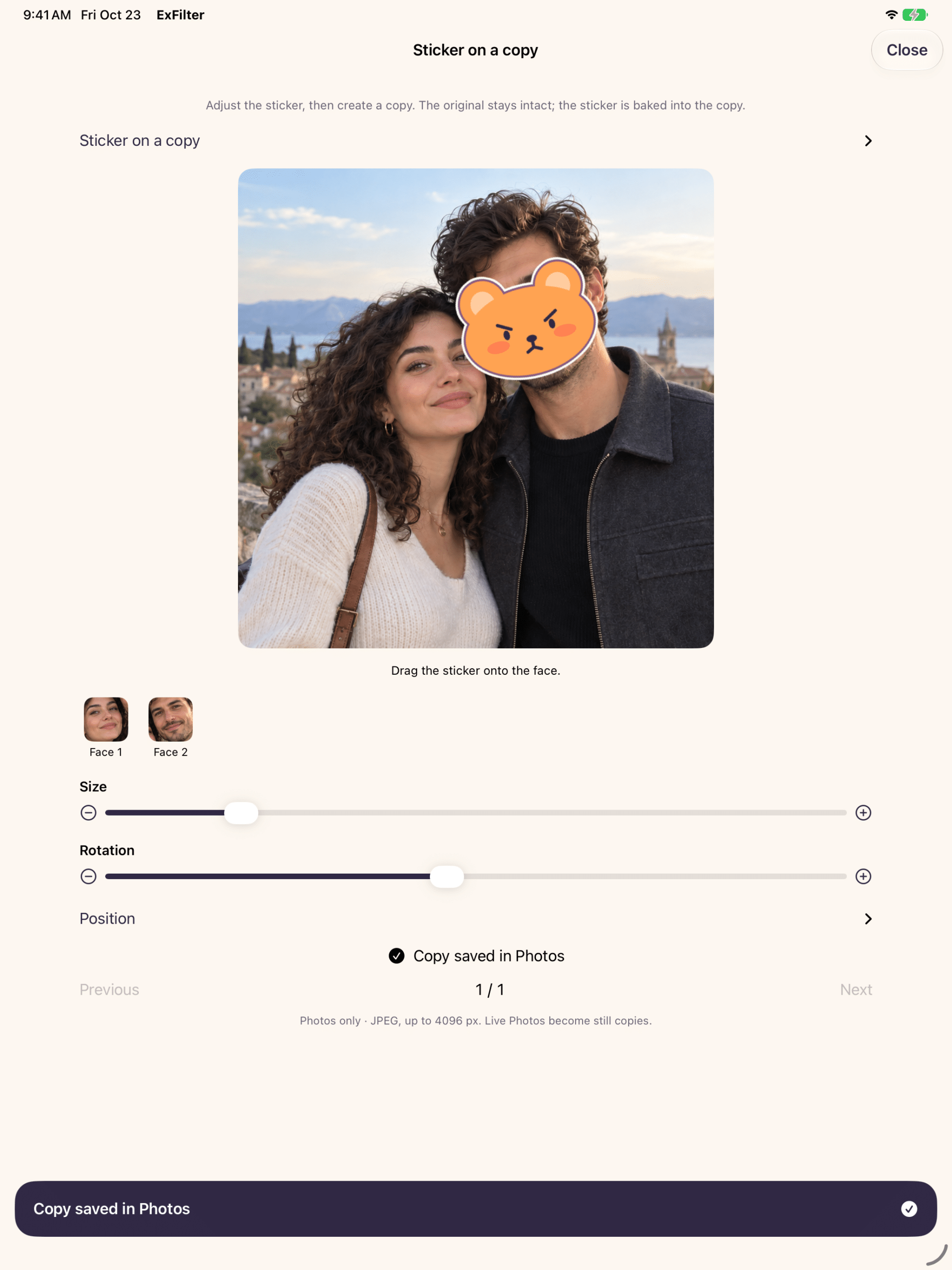
Place a character over their face and save a new photo. Your original stays intact.
Find. Check. Sort.
A little space, one step at a time. You stay in control. Searching never deletes your photos.
1 →
Choose a face
Start with a photo of your ex. Add more examples if you need to.
2 →
Find memories
Look for similar faces in the photos and videos you allow the app to access.
3 →
Check the matches
Review the results and adjust your selection. Face matching can make mistakes.
4 ✓
Choose what comes next
Make an album, keep a backup or create a photo with a sticker.
Your memories. Your next step.
▤ Bring them together
Gather your selection in a Photos album so it is easier to review.
An album groups photos. It does not hide or lock them.
↗ Set them aside
Back up your selection outside your photo library, using Files or an encrypted vault.
Keep an external copy and your recovery key separately.
✿ Keep the photo
Cover their face with a kawaii sticker. Adjust its size and position, then save a new photo.
Your original stays untouched. A Live Photo becomes a still copy.
You don’t have to decide everything today.
A group photo you still love. A trip you want to remember. A few memories you simply need out of the way for now.
Ex-Filter gives you choices, with warm little characters to keep you company along the way.
Take a moment to check. Face matching may miss a face or suggest a wrong match. Brief appearances in videos can be missed. Keep the app open while searching and review the results before taking action.

Made for your iPad, too.
The same gentle choices, with more room to see the details.
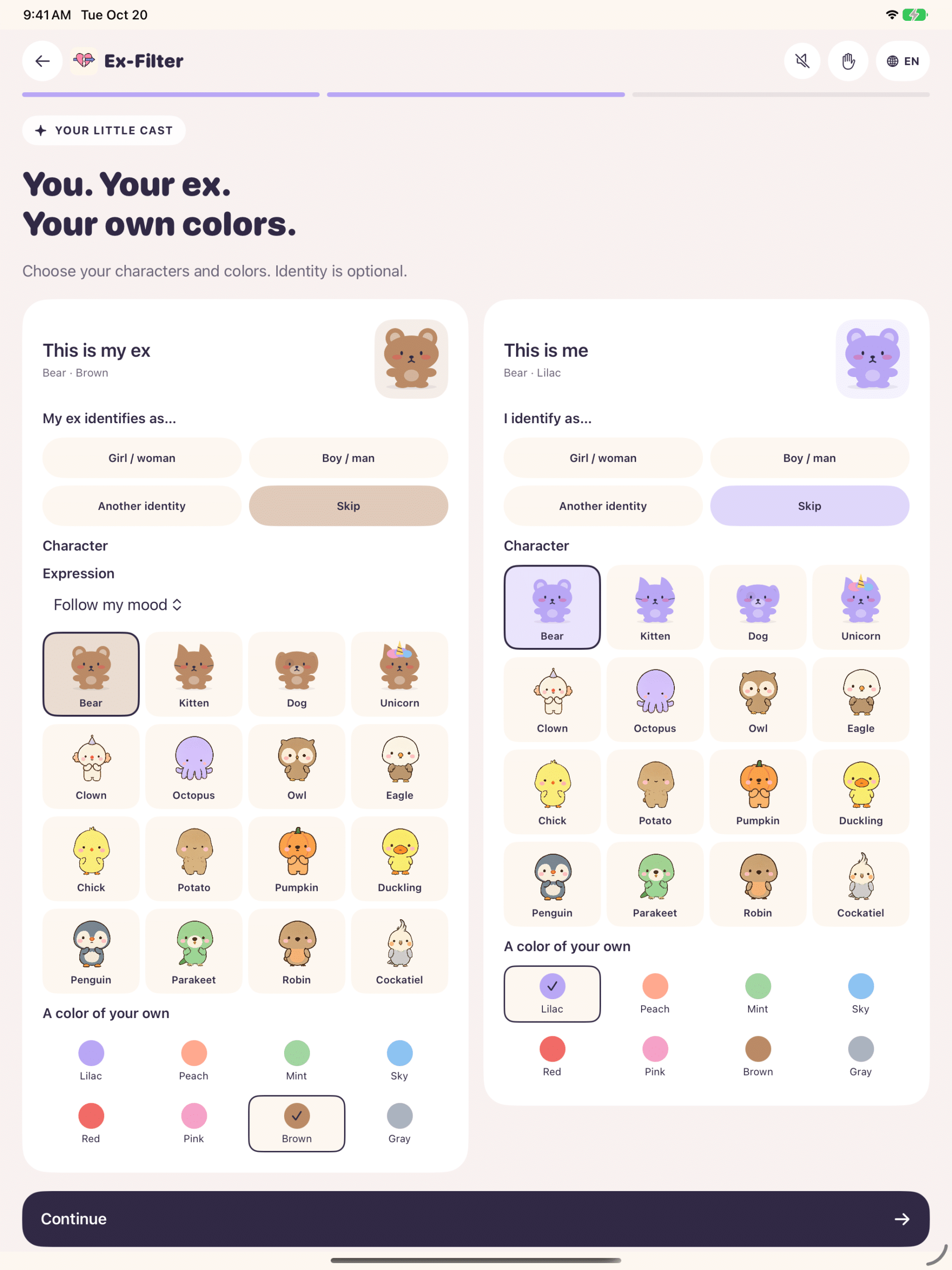
Choose your characters
Pick the characters, expressions and colors you like.
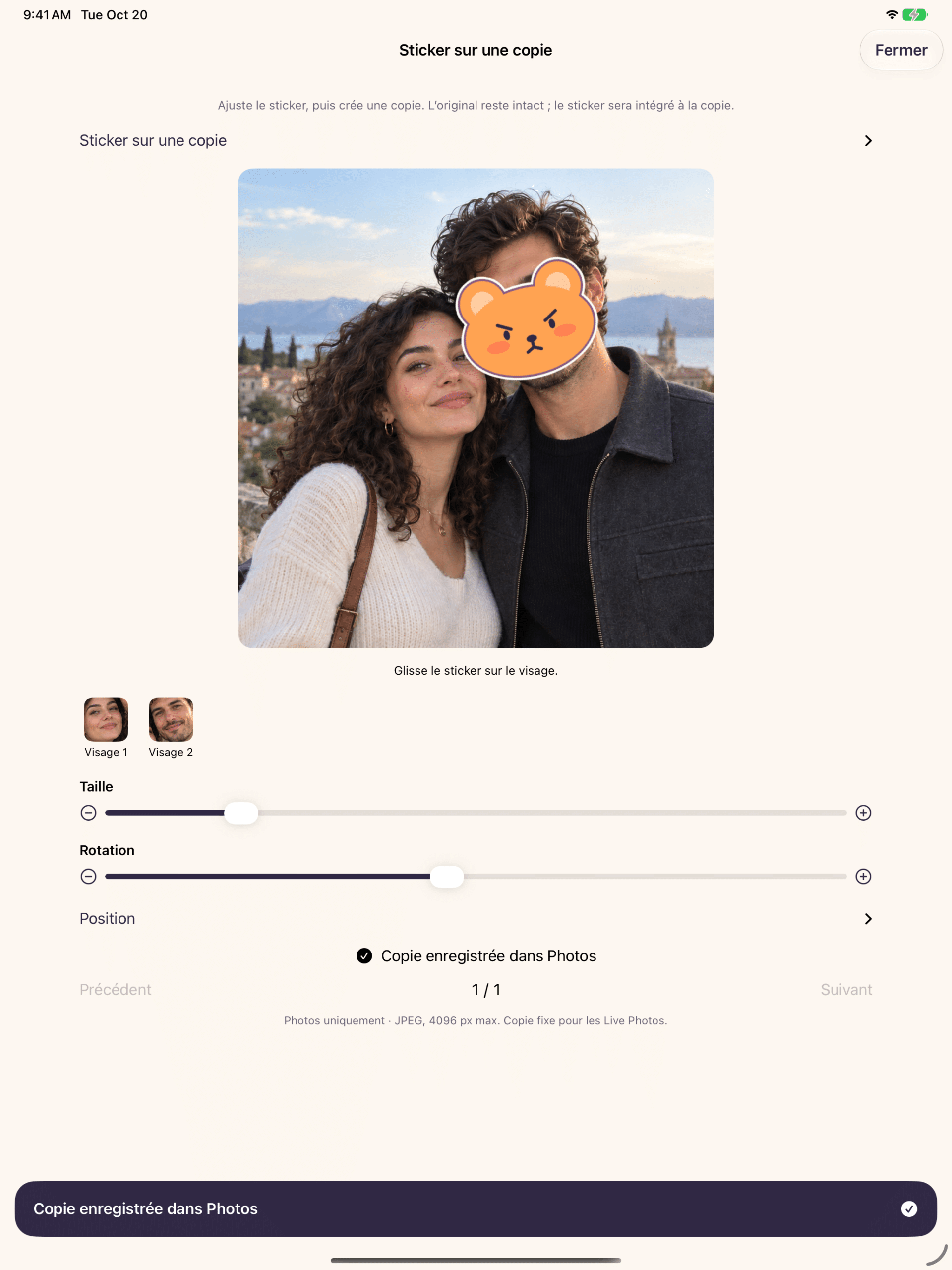
Room to get it just right
Preview your sticker on a bigger screen, with size, rotation and position controls.
Face matching stays on your device.
On your iPhone or iPad
Your chosen photos → Local face matching → Results you review
No Ex-Filter account is needed. The app does not send your photos or facial signatures to ObviousIdea’s servers.
You control whether the app may download media from iCloud. Exporting to a cloud location in Files uses the provider you choose.
Ex-Filter privacy policy
Last updated: October 20, 2026. Publisher and data controller: ObviousIdea, France. Contact: [email protected].
Photos and face matching
Ex-Filter processes the media you allow on your device to find a person you choose. Reference images, names, facial signatures and results remain in a local encrypted journal so an analysis can resume. ObviousIdea receives neither your media nor your facial signatures. Search with Photos uses Apple’s picker; the app receives only your selection.
Your controls and retention
Ex-Filter’s menu lets you forget a saved analysis. This removes its journal and references without deleting your original photos or vaults. Language, mood, identity and character preferences remain on your device. Resetting the introduction resets personalization but keeps your chosen language. You can restrict or revoke Photos access in your device settings.
Backups, Files and iCloud
Archives may include originals, dates, locations and other metadata. Vaults are encrypted and their local keys do not sync. Keep an external copy and the recovery key separately: deleting the app can destroy local archives, and ObviousIdea cannot recover your key. Copies in Files, iCloud downloads and changes synchronized by Photos depend on Apple or your chosen provider. An album does not hide photos or exclude them from Memories.
Photo copies and stickers
The sticker editor creates a new still photo. Your original remains untouched. For a Live Photo, the saved copy is a still image. Review the placement and size of each sticker before saving. Other library operations are separate actions that you choose.
Diagnostics and support
Technical logs of limited size remain on your device. They record version, performance, memory and counts, without images, names, media identifiers or facial signatures. The app does not automatically send these logs to ObviousIdea. Ex-Filter requires no account and includes no advertising or usage tracking service. If you contact support, ObviousIdea receives the information you choose to send.
For privacy questions or requests, email [email protected]. The ObviousIdea website privacy policy applies when you visit this website; this notice describes the app itself.