
Openrouter support in LIR and LIE 7.6
Let’s welcome OpenRouter.ai support in Light Image Resizer 7.6 !
AI Vision keeps getting better. Whether you want to describe a single photo or batch-tag thousands of images automatically, Light Image Resizer 7.6 brings you more AI models, more flexibility, and smarter metadata options.

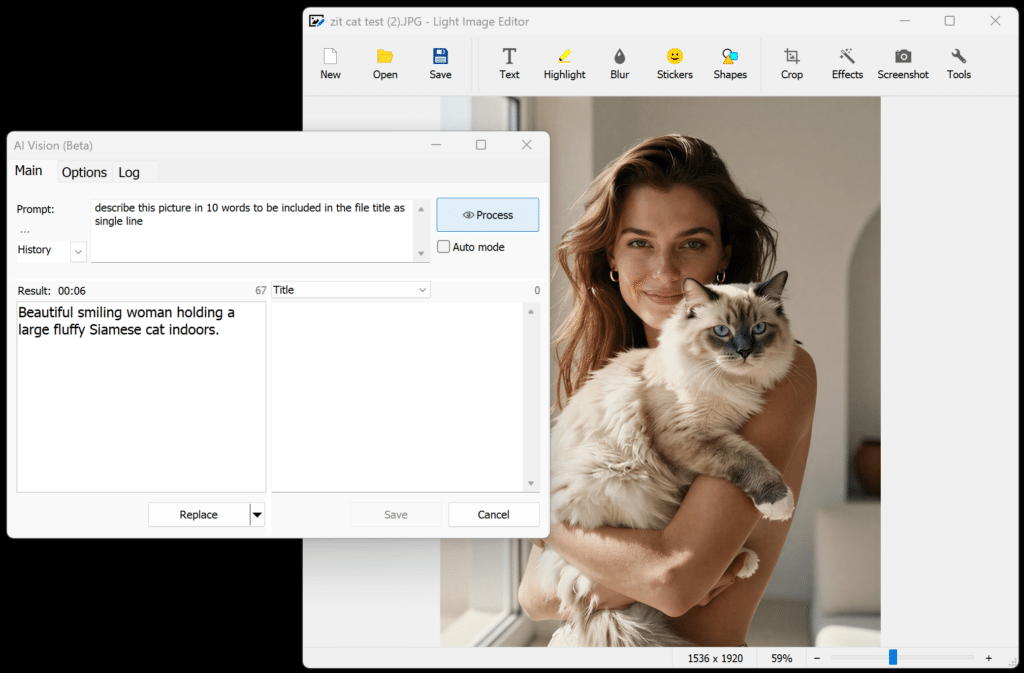
Write a prompt about the style or content you want to describe or analyse from your pictures — the AI result can now be saved into the file Title or Comments field. You can even run two different prompts and store both results indepently.
Why OpenRouter is a Game-Changer for AI Vision in Light Image Resizer
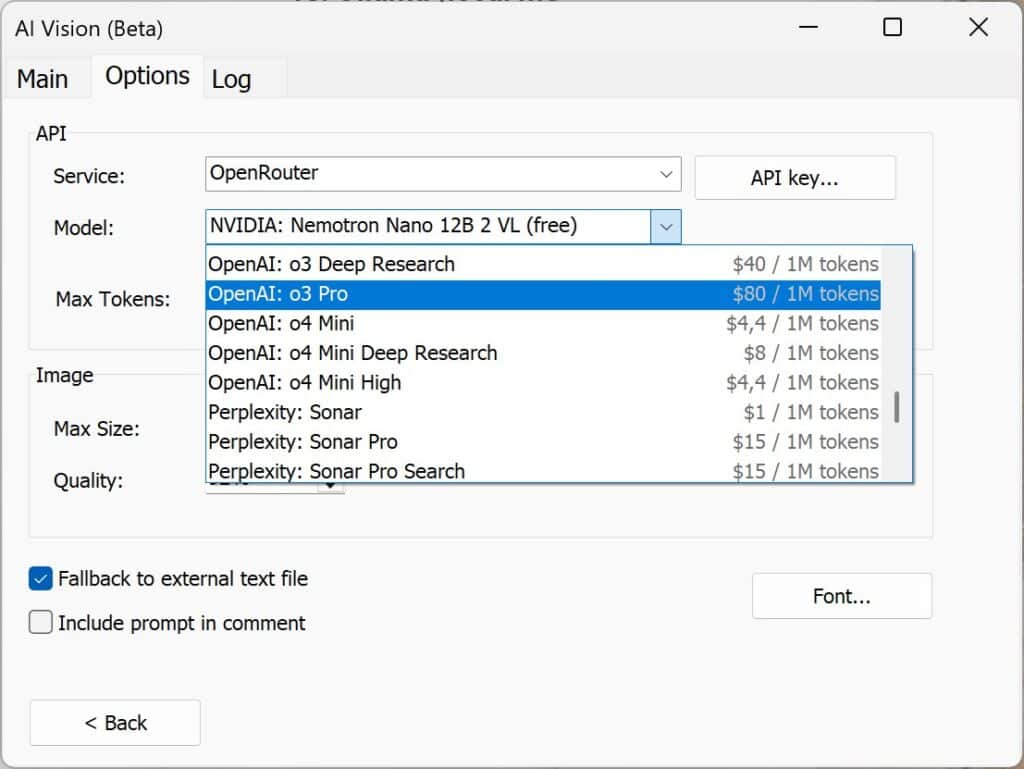
Light Image Resizer 7.6 introduces support for OpenRouter as an AI Vision backend — and if you haven’t heard of it yet, here’s why it matters.
OpenRouter is a unified API gateway that gives you access to virtually every major large language model (LLM) on the market — from OpenAI’s GPT series and Google Gemini, to Meta’s LLaMA, Mistral, DeepSeek, Anthropic’s Claude, and dozens more — all from a single interface. Think of it as the “one remote to rule them all” for AI models.
Why choose OpenRouter over the alternatives?
- vs. ChatGPT / Gemini subscriptions: No monthly fee. You top up with as little as €10 and are only charged for what you actually use — token by token. Ideal for casual or light users who don’t need unlimited access 24/7.
- vs. Ollama (local models): Ollama runs models on your own machine, which requires serious GPU hardware and technical setup. OpenRouter runs everything in the cloud — zero local resources consumed, zero configuration headaches.
- Free models available: OpenRouter includes a selection of capable models that are completely free to use, making it a zero-cost entry point to experiment with AI Vision.
- Real-time usage dashboard: One of OpenRouter’s standout features is its clean, near-real-time cost and usage tracking dashboard. You can see exactly what each request cost, which model was used, and how your credits are being consumed — full transparency, no surprises.
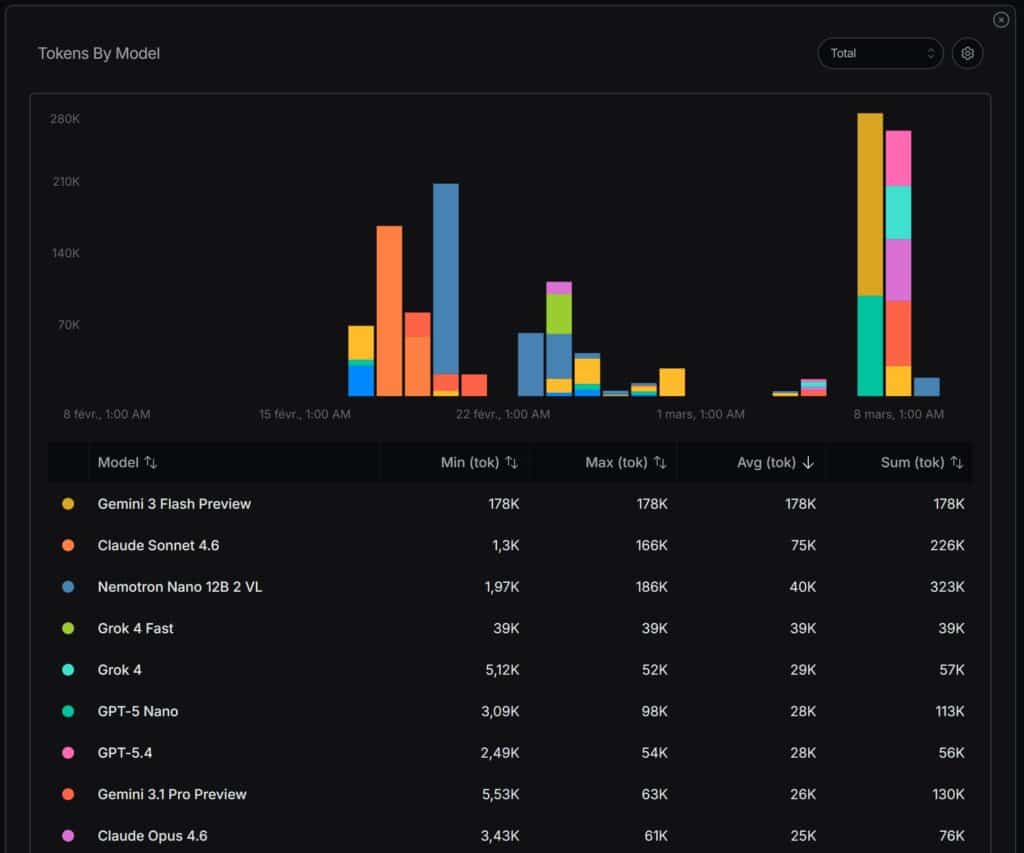
For Light Image Resizer users who want to use AI Vision to auto-describe and tag their photos, OpenRouter is now the most flexible and cost-effective option available — whether you’re processing ten images or ten thousand.
👉 Create a free account on OpenRouter.ai
New AI Models Added in 7.6
Beyond OpenRouter, version 7.6 also ships the latest models directly:
- Gemini 3.1 Flash Lite Preview — Google’s fastest lightweight vision model, ideal for high-volume batch processing on a budget.
- Gemini 3.1 Flash Image Preview — also know as Nano Banana 3 is available in the Light Image Editor, with stronger image understanding for editing workflows.
- OpenAI GPT-4.5 — OpenAI’s latest flagship vision model, delivering top-tier description quality for demanding use cases.
Choose Where AI Results Are Written
A small but powerful new option: you can now select which metadata field the AI Vision result is written into fields : — Comment or Title. Run two different prompts and store both. Your photos become fully searchable by content, style, or subject — directly from Windows Search or any metadata-aware tool.
Performance & Display Improvements
- Average processing speed is now displayed when AI Vision is active — useful to benchmark models against each other.
- Character count for AI results is shown in Light Image Editor, helping keep descriptions concise.
Bug Fixes
- Fixed: mouse wheel over certain controls could freeze the interface.
- Fixed: AI model selected in a profile may not have been correctly restored on reload.
Full Changelog — Light Image Resizer 7.6.0.159
NEW:
- OpenRouter service for AI Vision
- Gemini 2.1 Flash Lite Preview model
- Gemini 2.1 Flash Image Preview model (Light Image Editor)
- OpenAI GPT-4.5 model
- Option to select into which metadata field the AI result is written (Comment or Title)
IMPROVED:
- Display average speed when AI Vision processing is enabled
- Display character count for AI result (Light Image Editor)
FIXED:
- Mouse wheel over some controls could cause the interface to freeze
- AI model may not have been selected from profile correctly